
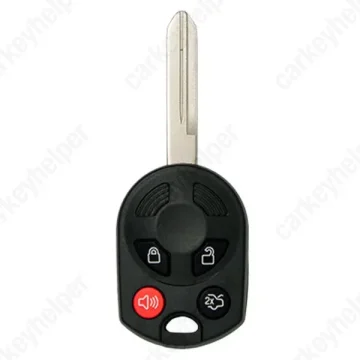
Mercury Milan 2007 Remote Key
Ford Remote Key (4D63) -2011 FO38R
Overview
Key Type
Remote Key
Markets
USA
Transponder
ID63 (Texas 4D63)
Separate
Frequency
315 MHz
Battery
CR2032
Transponder Cloning
Yes
Skill Level
Beginner
Universal Keys
Xhorse: ID 0525 977 (OUCD6000022) 3 button
Test passed
Xhorse: ID 0509 591 (OUCD6000022) 4 button
Test passed
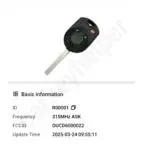
KeyDiy: ID R00001
Test passed
Original Keys
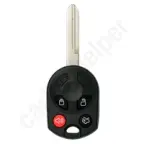
OUCD6000022 4Buttons: 164-R7040
Direct Programming to another vehicle
Overview
Add key
OBD
All keys lost
Eeprom/Bench
Prepare dealer key
No
Remote programming
Manual
All keys erased automatically
Not specified
Power supply
Recommended (if under 11.5V)
Additional cables required
No
Number of key slots
8
Key Programming via OBD
General Instructions
- The amount of remote buttons does not affect programming.
- 10 min security wait time.
- The maximum number of transponders is eight but the maximum number of remotes is four.
- The car's system must always have min. two keys.
Remote Manual Programming
OTE : Maximum of 4 remote transmitters can be programmed.
NOTE : ENSURE ALL DOORS ARE CLOSED.
- Switch ignition to from position 0 to I, 4 times ending with ignition in position 0.
- A TONE should be heard to indicate programming mode.
- PRESS the UNLOCK button on the first remote transmitter.
- A TONE should be heard to indicate remote transmitter is programmed.
- REPEAT step 3 for all additional remote transmitters within 10 seconds.
- Check all remote transmitters for operation.
Programmers
Autel
Immobilizer Programming
Abrites AVDI
Immobilizer Programming
Xhorse
Immobilizer Programming
TDB1000
Immobilizer Programming
Lonsdor K518 PRO
Immobilizer Programming

Smart Pro
Immobilizer Programming
Code Series
1X-1706X (Ford, Lincoln, Mazda, Mercury)
Media
Blade cutting tutorial
Using XHORSE Condor XC-MINI PLUS II automatic machine
Overview
Double locked
Not specified
Opening direction (LHD)
Not specified
Decoder capability
Door LockIgnitionBoot/Trunk
Decoding Tips
- No keys contain a #1 depth in the last position.
- All wafers in this lock were stamped/numbered.
- Generation 1 lock has wafers in positions 1 to 6.
- Generation 2 lock has wafers in positions 2 to 7.
- Generation 3 lock has wafers in positions 3 to 8.
- To decode the lock, read in the SAME direction as it was picked.
Overview
Original key glued
No
Synchronizing
No
Repair Instructions
- There is no need to synchronize or reprogram the key after replacing the battery.
Media

Shell and battery change
Circuitboard
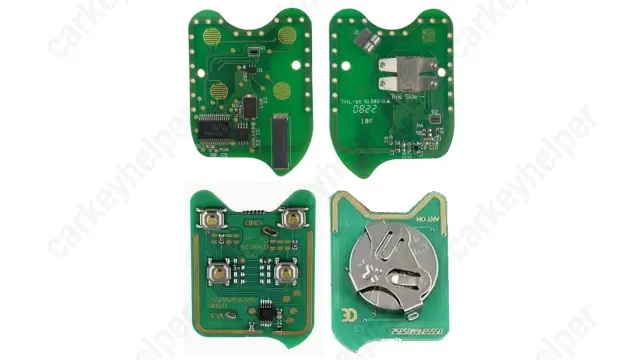
OUCD6000022 PCB